
Navigating the complexities of technology can be a daunting task, especially when your primary workstation or home setup begins to fail. In a fast-paced city like Perth, we understand that time is your most valuable asset and a malfunctioning computer can bring your productivity to a sudden halt. At Telespace, we believe that every resident and business owner deserves access to transparent, expert-led technical support that prioritizes both speed and reliability. This guide is designed to walk you through the essential stages of device maintenance and repair, helping you make informed decisions that protect your digital investments for the long term.
Navigating Perth’s Tech Support Landscape: On-Site vs. Remote Help
The digital infrastructure in Western Australia has evolved rapidly, offering residents a variety of ways to resolve hardware and software glitches. When a device begins to underperform, the first decision we face is whether to seek assistance through a remote connection or to request a physical technician. Remote support is an excellent, time-efficient solution for software-related hurdles, such as configuring email accounts, removing non-persistent malware, or optimizing operating system settings. By allowing a professional to access the interface securely from a distance, many minor frustrations vanish within minutes without anyone needing to leave their home or office.
However, the geographical spread of the Perth metro area, from Joondalup down to Mandurah, means that physical “on-site” support remains a cornerstone of reliable tech care. Hardware issues—those involving the tangible components of a machine—simply cannot be resolved through a screen. If a system refuses to boot or exhibits physical instability, professional intervention is the only path forward. [LINK-CLUSTER-10 Signs Your Computer Needs Professional Repair (Don’t Ignore These): It is vital to recognize that persistent glitches, such as sudden shutdowns or unusual grinding sounds from the chassis, are often the primary signs your computer needs professional repair rather than a digital patch.]
Choosing the right approach depends entirely on the symptoms:
Opt for Remote Help: Best for “how-to” guidance, driver updates, and clearing out temporary files that slow down the interface.
Request On-Site or Workshop Service: Essential for component replacements, deep internal cleaning, or physical damage.
We believe that a hybrid approach is often the safest bet for longevity. While a quick remote fix might solve the immediate lag, having a local specialist physically inspect the cooling fans and thermal paste ensures the sea salt air and dust common to coastal Perth environments aren’t shortening the lifespan of your motherboard. Balancing convenience with thorough mechanical oversight ensures that your technology remains an asset rather than a liability.
Hardware vs. Software: Identifying the Source of Your PC Frustrations
Deciphering whether a computer failure stems from a physical component or a digital glitch is one of the most common challenges we face in modern tech support. Software issues typically manifest as “logical” errors, such as programs crashing upon launch, slow response times, or the dreaded blue screen. These are often the result of corrupted files, conflicting drivers, or an operating system that has become cluttered over years of use. In many cases, a clean reinstallation of the software or a targeted update to the firmware can restore a machine to its former glory without ever needing to open the casing.
Hardware failures, by contrast, are more mechanical and often more permanent. These problems involve the tangible circuitry, storage drives, power supplies, or cooling systems that keep the machine operational. When a physical part fails, software troubleshooting will rarely provide a lasting fix. For example, if a power supply unit begins to degrade, the system might shut down randomly under heavy load, regardless of how many times the operating system is refreshed.
Diagnostic Tip: If your computer is freezing specifically during intensive tasks like 4K video editing or high-end rendering, the culprit is likely hardware-related. [LINK-CLUSTER-Gaming PC Repair in Perth: Common Problems and How They’re Fixed: In these high-performance scenarios, it is helpful to understand that many common problems in gaming PC repair are actually triggered by thermal throttling or insufficient power delivery rather than simple software bugs.]
We recommend a systematic “Process of Elimination” to save time and money:
Check for Updates: Ensure all Windows or macOS updates are current to rule out known OS bugs.
Monitor Temperatures: High heat often mimics software lag; ensure your vents are clear of Perth’s fine coastal dust.
Listen for Audio Cues: Beeping codes during startup or clicking sounds from a traditional hard drive are definitive hardware warnings.
Safe Mode Testing: Booting into a “Safe” environment loads only essential files. If the problem persists here, it is almost certainly a hardware defect.
By identifying the root cause early, we can prevent unnecessary expenditures on software licenses when a simple component replacement is what is truly required. Understanding this distinction ensures that every repair strategy is targeted, efficient, and cost-effective for the long term.
Essential Maintenance to Extend Your Device’s Lifespan
Maintaining a computer in Western Australia presents a unique set of challenges, primarily due to the local climate. The combination of high summer temperatures and the fine coastal dust found throughout the Perth metropolitan area can quickly compromise the internal cooling systems of any machine. When dust accumulates on intake vents and internal fans, it acts as an insulator, trapping heat and forcing the processor to work harder while performing simple tasks. We recommend a proactive approach to physical care to ensure that small environmental factors do not escalate into catastrophic hardware failures.
Regular internal cleaning is the most effective way to prevent thermal throttling. This involves using compressed air to clear out debris from the heat sinks and power supply units. Beyond physical cleanliness, digital maintenance is equally vital for longevity. Over time, “data bloat” from temporary internet files, unused registry entries, and background applications can strain your storage drive. We suggest a monthly audit of installed programs to ensure that your system resources are allocated only to the tools you actually need.
Environmental Protection: Keep your tower or laptop off the carpet to minimize lint intake.
Power Stability: Use a high-quality surge protector to guard against the occasional fluctuations in the local power grid.
Thermal Monitoring: Check your CPU and GPU temperatures during the hotter months to ensure they remain within safe operating limits.
Neglecting these simple steps often leads to unnecessary physical strain on the device’s exterior and interior components. For instance, the stress of constant overheating can eventually lead to structural weaknesses in a chassis or display assembly. [LINK-CLUSTER-Laptop Screen Repair in Perth: Costs, Process and What to Expect: It is important to remember that physical mishaps, such as a cracked or flickering display, are often what to expect when a laptop screen repair is required after a machine has been subjected to excessive heat or pressure over time.] By sticking to a strict maintenance schedule, we can significantly delay the need for major component replacements and keep our technology running at peak efficiency for years.
The Perth Business Owner’s Guide to Emergency Tech Support
For a small business operating within the Perth CBD or its surrounding industrial hubs, technology is the backbone of daily operations. When a server fails or a workstation crashes, the resulting downtime can translate into significant financial losses and missed opportunities. We recognize that emergency tech support is not just about fixing a broken part; it is about business continuity. Having a reliable response plan ensures that technical hurdles do not derail your professional reputation or your ability to serve your local clientele.
A structured emergency plan should prioritize the most critical assets of the business. This includes ensuring that cloud backups are current and that hardware is under a support agreement that guarantees a rapid turnaround. In many cases, the most stressful “emergencies” involve the sudden inability to access essential company records or client databases. If a primary storage drive fails unexpectedly, the priority shifts from general repair to specialized recovery. [LINK-CLUSTER-Data Recovery Services in Perth: What to Do When You Lose Files: It is vital for business owners to know exactly what to do when they lose files, as seeking data recovery services in Perth immediately can be the difference between a minor setback and a permanent loss of intellectual property.]
Audit Your Infrastructure: Identify which machines are mission-critical and which can wait for standard business hours.
Implement Redundancy: Use dual-internet connections or uninterruptible power supplies (UPS) to mitigate Perth’s occasional winter storm outages.
Establish a “First-Call” Protocol: Ensure your staff knows exactly who to contact for technical support to avoid unauthorized and potentially damaging DIY attempts.
By viewing tech support as a strategic investment rather than a reactive expense, we can minimize the chaos of a sudden system failure. Whether it is a single laptop in a home office or a network of computers in a corporate suite, being prepared for the unexpected is the hallmark of a resilient Perth business. Maintaining a relationship with a local expert ensures that when a crisis occurs, the path back to productivity is clear and direct.
Why DIY “Quick Fixes” Often Lead to Bigger Repair Bills
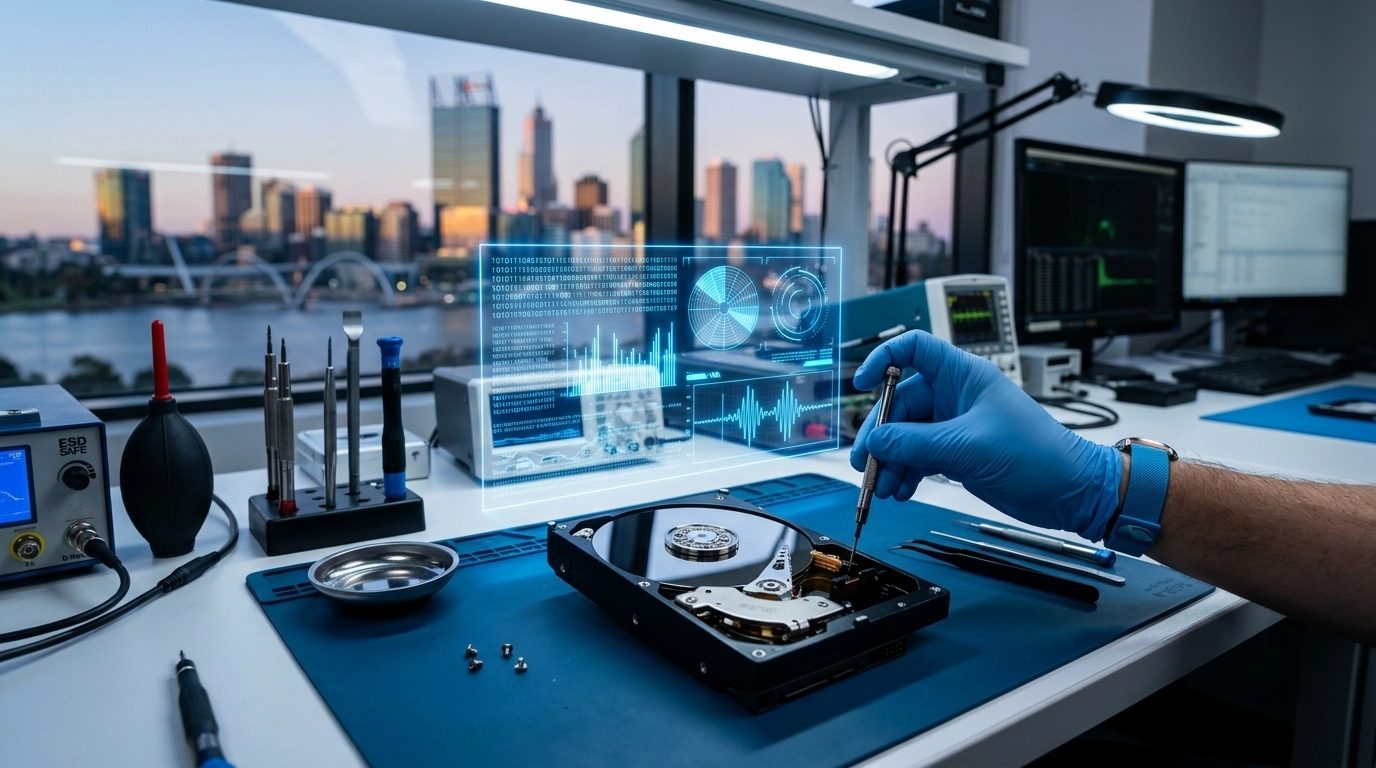
In the age of digital tutorials, it is tempting to believe that every technical hurdle can be cleared with a screwdriver and a video guide. While we appreciate the drive for self-sufficiency, modern computing hardware is increasingly miniaturized and complex, leaving very little margin for error. A common mistake we see involves using improper tools—such as household screwdrivers instead of precision Torx bits—which can strip delicate screws and permanently lock a chassis. Furthermore, static electricity is an invisible enemy; handling a motherboard without a grounded anti-static wrist strap can send a lethal voltage spike through a processor, turning a simple cleaning task into a total system replacement.
The internal layout of contemporary laptops and desktops is a marvel of engineering, but it is also a minefield for the uninitiated. Cables as thin as a human hair connect keyboards, trackpads, and batteries to the logic board. A slight slip of a prying tool can sever these connections, leading to secondary failures that were not present when the repair began. We often find that “quick fixes” for overheating, such as applying excessive thermal paste, actually have the opposite effect by creating an insulating layer that prevents heat from reaching the cooling fins.
Risk of Component Damage: Prying open a glued-in battery or a soldered RAM module can cause permanent board flex.
Warranty Voidance: Most manufacturer warranties are immediately nullified the moment an unauthorized user breaks the factory seal.
Hidden Costs: The price of replacing a “messed up” DIY attempt is almost always higher than the initial professional diagnostic fee.
It is particularly risky to attempt repairs on high-performance machines where components are tightly packed and run at extreme voltages. Many users attempt to “tinker” with their settings or hardware to squeeze out more frames per second, only to find themselves facing a dead screen. [LINK-CLUSTER-Gaming PC Repair in Perth: Common Problems and How They’re Fixed: It is often a smarter financial move to acknowledge when a project is out of your depth, especially since the most common problems in gaming PC repair are frequently exacerbated by well-intentioned but incorrect manual adjustments.] Professional intervention ensures that the integrity of the machine is preserved and that the “fix” doesn’t become the cause of a new, more expensive crisis.
Improving Performance: When to Upgrade Instead of Repair
The lifecycle of a computer is often longer than we anticipate, provided we make the right strategic adjustments at the right time. There eventually comes a point where the cost of repairing an aging component exceeds the value of the entire system. However, before deciding to replace a machine, we should consider if a targeted upgrade could breathe new life into it. Often, a sluggish computer isn’t “broken”; it is simply struggling to keep up with the demands of modern, resource-heavy software. Upgrading a traditional mechanical hard drive to a Solid State Drive (SSD) or doubling the available RAM can result in a performance boost that feels like purchasing a brand-new device.
Deciding between a repair and an upgrade requires a look at the “bottlenecks” of your system. If the motherboard and processor are still relatively modern, replacing a failing power supply or a noisy fan is a sensible repair. Conversely, if your screen is flickering and your battery is failing simultaneously, the combined cost of those parts might be better spent on a newer model. We suggest evaluating the age of the machine; if it is over five years old, even a successful repair may only be a temporary reprieve before the next legacy component fails.
SSD Migration: This is the single most impactful upgrade for any computer over three years old, drastically reducing boot times.
Memory Expansion: Increasing RAM allows for smoother multitasking and better performance in browsers like Chrome or creative suites like Adobe.
Graphics Updates: For workstations used in design or engineering, a newer GPU can handle modern rendering tasks that old chips simply cannot process.
The key to a long-lasting machine is addressing issues before they become terminal. Waiting too long to fix a minor glitch can lead to a cascade of hardware failures that make an upgrade impossible. If your system is already exhibiting the clear signs your computer needs professional repair, such as frequent “freezing” or blue screens, it is the perfect time to consult with a technician to see if an upgrade can be performed concurrently. This proactive strategy ensures you aren’t just fixing a problem, but actually improving your user experience for the next several years.
Protecting Your Privacy During the Repair Process
Data privacy is a paramount concern when handing over a personal or professional device to a technician. We understand that your computer contains sensitive information, from financial records to private family photos.
Before dropping your machine at a workshop, we recommend performing a full system backup to an external drive or cloud service. This ensures that even if a hardware component needs to be wiped, your digital life remains intact.
If your operating system is still functional, consider creating a separate “Guest” user account for the technician to use. This allows them to run hardware diagnostics without needing access to your personal files or browser history.
For those with highly sensitive data, software-based encryption like BitLocker or FileVault can add an extra layer of security. However, you must ensure you have your recovery keys stored safely elsewhere.
Remove External Storage: Always take out SD cards and USB dongles before the repair.
Log Out of Apps: De-sync your primary email and social media accounts to prevent unauthorized access.
Secure Your Passwords: Never write your login credentials on a sticky note attached to the screen.
In some cases, the reason a device is being repaired is because the files are already inaccessible due to a hardware crash. If you find yourself in this situation, do not attempt to run “cracked” recovery software which can often contain spyware.
It is far safer to rely on professional data recovery services in Perth to retrieve your information, as they use secure, offline environments to handle your sensitive files. This ensures that your privacy is maintained while your data is being restored.
Taking these small steps provides peace of mind and ensures that the repair process is focused solely on the health of your hardware. We believe that professional tech support should always be a transparent and secure experience for every user.
Common Laptop Mishaps: From Spilt Flat Whites to Cracked Hinges
Laptops are the workhorses of the modern Perth lifestyle, traveling from coastal cafes to busy CBD offices every single day. This constant movement exposes them to a unique set of environmental hazards that a stationary desktop simply never encounters.
We often see hardware failures that aren’t caused by aging components, but rather by a single split-second accident involving a morning coffee or a sudden drop. Liquid damage is perhaps the most deceptive of all mishaps because a machine might appear to function normally for hours after a spill.
The acidic nature of a flat white or the minerals in tap water can cause immediate corrosion on the delicate copper traces of a motherboard. This internal “rusting” eventually leads to short circuits that can permanently disable the device if the power is not disconnected and the internals cleaned immediately.
Mechanical stress is another silent killer for portable tech, particularly regarding the hinges that connect the screen to the chassis. Over time, the tension in these hinges can increase, putting immense pressure on the plastic or metal casing every time the lid is opened.
If the resistance feels uneven, it is a sign that the structural integrity of the device is failing and requires adjustment before a total break occurs. Impact damage often targets the most vulnerable part of the unit: the liquid crystal display.
A laptop left on a car seat or squeezed too tightly in a backpack can easily suffer from internal pressure cracks that bleed black ink across the viewable area. Because these components are so specialized, a DIY replacement is rarely successful and often leads to further ribbon cable damage.
When these accidents happen, knowing the costs and process for a laptop screen repair in Perth is the best way to determine if your mobile workstation is worth saving. Many users find that a professional display replacement can be completed faster than purchasing and migrating data to a completely new machine.
By treating your laptop with a degree of mechanical sympathy, we can help ensure that a simple accidental drop doesn’t result in a total loss of your digital workspace. Professional intervention remains the most reliable path to restoring a portable device to its original factory standards.
Setting Up the Ultimate Home Office in Western Australia
Creating an efficient workspace in Perth requires more than just a desk and a chair; it involves balancing high-performance hardware with the local environmental conditions. We often see home offices struggle due to poor airflow or inadequate protection against the coastal heat that characterizes our region.
The physical placement of your computer is the most critical decision for long-term health. Tucking a powerful tower into a small, unventilated cabinet might save space, but it essentially creates a small oven for your components to bake in.
We recommend ensuring at least ten centimeters of clearance around all cooling vents to allow the internal fans to circulate fresh air effectively. This is particularly important for high-end systems that generate significant heat during heavy workloads or professional tasks.
Cable Management: Use velcro ties instead of plastic ones to organize your wires without crimping the internal copper.
Ergonomic Elevation: Position your monitors so the top third of the screen is at eye level to prevent neck strain during long Perth workdays.
Uninterruptible Power Supply (UPS): A dedicated UPS can protect your work from sudden voltage drops during the occasional winter storm.
The rise of hybrid work has also increased the demand for machines that can handle multiple high-resolution displays and peripherals simultaneously. If your setup is centered around a portable machine, ensure your docking station is compatible with your specific hardware requirements to avoid port damage.
It is helpful to remember that many common problems in gaming PC repair are actually caused by poor home office environments, such as placing a desktop on a thick carpet that chokes the power supply’s air intake. By elevating your machine and ensuring a dust-free zone, you can prevent the most frequent causes of hardware throttling.
A well-planned home office should be a fortress for your technology. When we take the time to consider the layout and thermal needs of our equipment, we significantly reduce the likelihood of needing emergency repairs or component replacements.
Checklist: What to Ask Your Perth Computer Technician
Finding a trustworthy repair partner in Western Australia shouldn’t feel like a gamble. We believe that clear communication is the foundation of any successful tech intervention, and asking the right questions upfront can save you both time and money.
Before handing over your device, always ask about the diagnostic fee and if it is included in the final repair cost. A reputable workshop should be transparent about their pricing structure and provide a written quote before any parts are ordered or installed.
It is also vital to inquire about the warranty period for both labor and replacement components. Most professional services in Perth will offer at least a 90-day guarantee on their work, ensuring that if the original fault returns, you are fully covered.
We recommend asking if there is an upfront diagnostic fee, as this ensures you are not surprised by hidden costs just for a technician to inspect the machine. You should also confirm the estimated turnaround time and whether parts are stocked locally in Perth or if they need to be shipped from interstate.
Furthermore, clarify if there is a “No-Fix-No-Fee” policy to protect you from paying for a repair that does not actually solve the underlying problem. Finally, always ask how your data privacy is secured to confirm that your private files and login credentials remain confidential.
Knowing the background of the business is just as important as the price they quote. A technician who understands the specific hardware requirements of high-end systems will be much better equipped to handle a complex motherboard or power supply failure.
If your technician identifies any of the 10 signs your computer needs professional repair during their initial assessment, they should be able to explain the “why” behind the failure in plain English. This transparency ensures that you are not just paying for a temporary patch, but a long-term solution.
Ultimately, the goal of a great technician is to get you back to your digital life with as little friction as possible. By using this checklist, we can ensure that every repair experience in the Perth metro area is professional, predictable, and effective.
Maintaining the health of your digital ecosystem is an ongoing commitment, but it does not have to be a stressful one. By understanding the common pitfalls of hardware failure and the importance of professional maintenance, we can ensure that our technology continues to serve us effectively rather than causing unnecessary frustration. At Telespace, we are dedicated to providing the Perth community with the highest standard of technical care, ensuring that every repair is handled with precision and every client receives the clarity they deserve. Whether you are dealing with a minor software glitch or a major hardware crisis, we are here to bridge the gap between technical complexity and seamless performance.