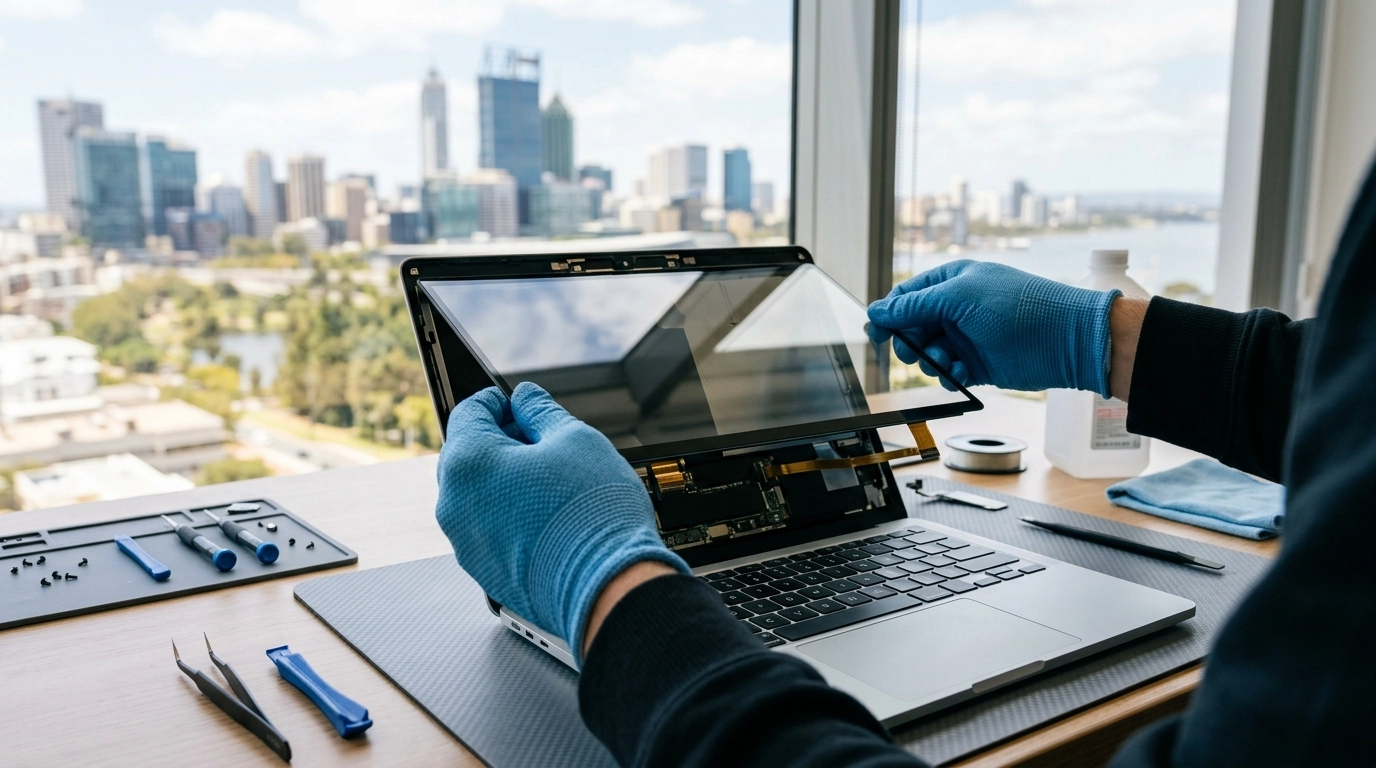

A damaged laptop screen changes how a device feels instantly. Work slows, colours distort, and even simple tasks become frustrating. For many Perth users, the first question is whether repair is worth it and what the experience actually involves. We regularly see customers arrive unsure about pricing, timelines, or whether their device is beyond saving, and the reality is far more straightforward than most expect. With modern repair methods and accessible parts, screen replacement has become one of the most practical ways to extend a laptop’s usable life without unnecessary expense.
Below is a clear look at how laptop screen repair works, what influences cost, and what happens from diagnosis to final testing.
When a Laptop Screen Needs Professional Repair
Not every display issue looks dramatic. Some failures appear slowly, almost politely, before becoming impossible to ignore.
Common warning signs include:
Flickering or intermittent brightness changes
Vertical or horizontal lines across the display
Black patches or colour bleeding after impact
A completely blank screen while the laptop still powers on
Cracks that spread over time
Physical damage is the most obvious cause, often from drops or pressure applied while the laptop is closed. However, internal faults can also affect displays. Loose display cables, failing backlights, or GPU-related signal issues sometimes mimic screen damage.
A quick restart rarely fixes these problems because the issue is hardware based. Professional inspection helps distinguish between a display panel failure and deeper internal faults, which prevents unnecessary replacements.
Understanding Laptop Screen Repair Costs in Perth
Pricing varies, but not randomly. Several practical factors determine the final cost of repair:
Screen size and resolution Standard Full HD panels are widely available and generally more affordable. High resolution displays, touchscreen panels, or ultra thin bezels require specialised replacements.
Laptop brand and model Some manufacturers design devices with easily accessible panels, while others integrate displays more tightly into the lid assembly.
Type of panel technology IPS, OLED, and high refresh rate screens typically cost more due to higher component prices.
Extent of damage If hinges, casing, or internal cables are also affected, additional repairs may be necessary.
In Perth, most standard laptop screen replacements fall into a moderate price range compared to purchasing a new device. For many users, repair restores full usability at a fraction of replacement cost, especially when the laptop’s performance remains reliable.
The Repair Process From Check In to Completion
Understanding the process removes much of the uncertainty people feel before handing over their device.
Initial assessment Technicians inspect the laptop to confirm whether the issue lies with the screen itself, internal connectors, or graphics output. External monitor testing is commonly used during diagnosis.
Part matching Each laptop requires a compatible panel. Model numbers and connector types must align precisely to ensure brightness control, resolution support, and proper mounting.
Safe disassembly The display bezel and lid assembly are carefully opened to prevent further damage. Modern laptops often use clips and adhesive rather than visible screws.
Screen replacement The damaged panel is disconnected and replaced with a new unit. Internal cables are checked for wear before reassembly.
Testing and calibration Brightness, colour output, and hinge movement are tested to confirm stability and correct installation.
Repairs are often completed within one to two days depending on part availability, though common models may be finished sooner.
Repair or Replace: What Makes More Sense?
A cracked screen does not automatically mean the laptop’s lifespan is over. The decision usually depends on three practical considerations:
Age of the device
Overall performance capability
Cost comparison between repair and replacement
If a laptop still runs modern software comfortably, replacing the screen is typically the smarter financial choice. New devices introduce additional costs such as data transfer, software setup, and accessory compatibility.
This shift reflects how modern laptops are built. Internal components often outlast external parts like screens, keyboards, or batteries.
What to Expect During the Repair Experience
Customers often imagine lengthy downtime or complicated procedures, but the experience is usually straightforward.
Clear diagnosis first Reliable repair services confirm the issue before quoting, avoiding unnecessary parts replacement.
Data remains untouched Screen repairs do not involve storage components, so files and applications stay intact.
Transparent timelines Repair duration depends mainly on part sourcing rather than labour complexity.
Post repair testing A properly repaired laptop should open and close smoothly, display even brightness, and show no pressure marks or flickering.
It is also normal for technicians to check related components such as hinges and frame alignment. These small checks help prevent repeat damage later.
Keeping Your New Screen Safe After Repair
Once replaced, a laptop screen is as durable as the original, but a few habits significantly reduce future risk:
Avoid placing heavy objects on closed laptops
Use padded sleeves during travel
Open the device from the centre rather than one corner
Keep debris away from the keyboard before closing the lid
Environmental factors matter too. Excess heat inside bags or vehicles can weaken adhesives and stress display components over time.
Regular maintenance also plays a role. Devices that receive occasional cleaning and hardware checks tend to avoid compounded issues that lead to unexpected repairs later.
A Clear Screen, A Longer Device Life
Laptop screen repair is less about fixing damage and more about restoring usability. For many Perth users, replacing a display brings a familiar device back to full productivity without the disruption of switching systems. Modern repair techniques, accessible replacement panels, and efficient diagnostics have made the process faster and more predictable than ever.
We see firsthand how a repaired screen often gives laptops several more years of reliable use, especially when the rest of the hardware remains capable. Understanding the costs, process, and realistic expectations helps users make confident decisions instead of rushing into unnecessary upgrades. When handled professionally, screen repair is not simply a fix. It is a practical reset that lets technology continue serving its purpose without interruption.