
The decision to upgrade a gaming PC is rarely a single moment of realization but rather a gradual shift in performance that eventually hits a breaking point. As enthusiasts who live and breathe hardware at Telespace, we understand that the cycle of technology can feel relentless. Whether you are eyeing a jump to 4K resolution or simply trying to maintain a steady frame rate in the latest open-world RPG, knowing exactly when to pull the trigger on new components is essential for both your budget and your gaming experience.
The Lifecycle of Modern Hardware
Typically, a well-balanced gaming rig has a functional lifespan of about three to five years before it starts showing its age in AAA titles. However, this is not a hard rule. High-end builds featuring the likes of an Intel Core i9-14900KF paired with an RTX 4090, such as our Rev 9 series, are designed to push the boundaries of longevity. These machines are built to handle the heavy lifting of modern engines for a much longer stretch than entry-level setups.
If you find that your current system is stuttering or you are forced to drop settings to “Low” just to achieve 60 FPS, the hardware is signaling that it can no longer keep up with the software’s demands. Modern games are increasingly optimized for DDR5 memory and Gen4 or Gen5 NVMe storage, meaning older systems using DDR4 and SATA SSDs will naturally face bottlenecks.
Identifying the Bottleneck
Before investing in a full system overhaul, it is vital to determine which specific component is lagging. A common mistake is assuming a new GPU will fix everything. If your CPU is an older six-core model, it might be struggling to process game logic and physics, preventing even a high-end graphics card from reaching its full potential.
Monitoring the utilization percentages of your hardware through an on-screen display overlay is the most effective way to see if your processor or graphics card is hitting its limit during gameplay.By observing these metrics, you can see if your CPU is pinned at 100% while your GPU sits at 70%, a clear sign that the processor is holding you back.
The Graphics Revolution
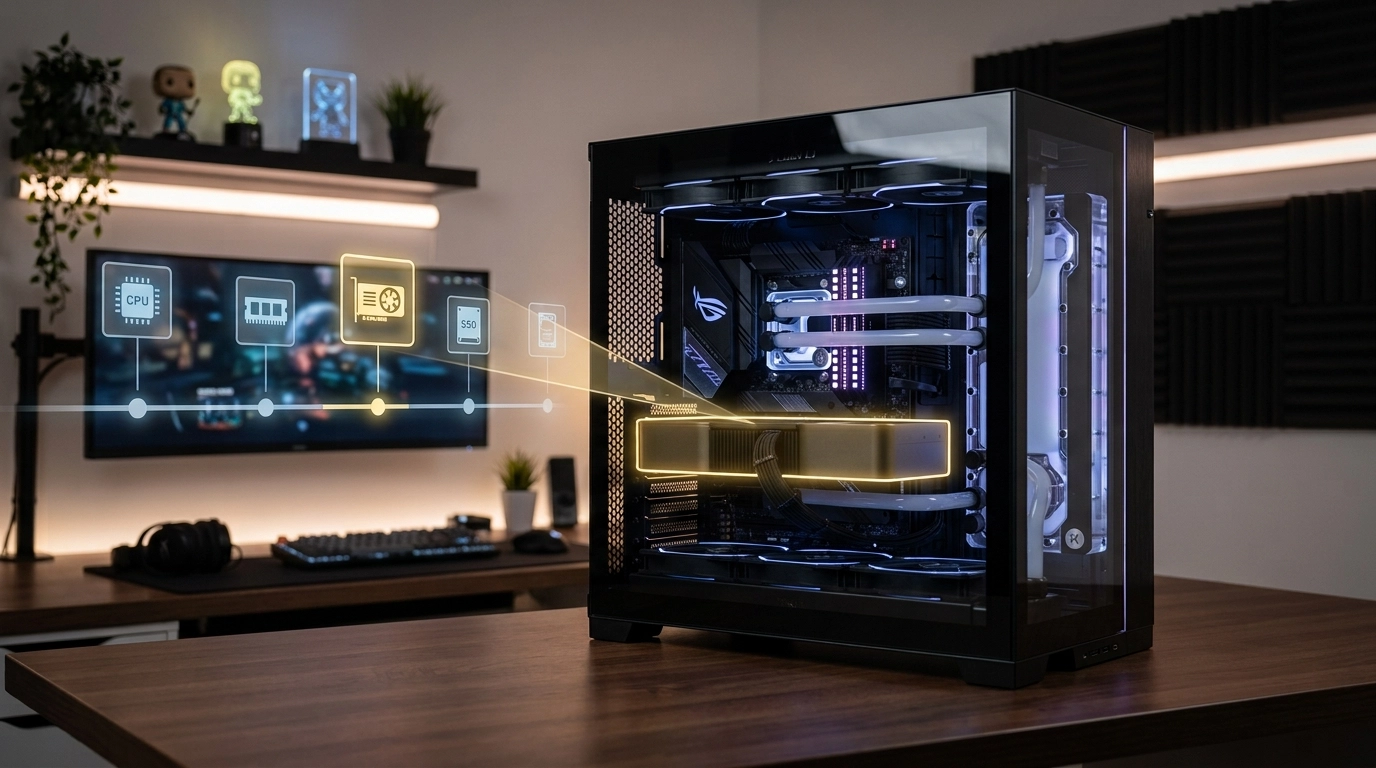
For many, the graphics card is the heart of the machine. If you are still running a GTX series card or even an early RTX 20-series, the lack of modern features like DLSS 3.5 and Frame Generation is likely becoming apparent. Upgrading to a card like the MSI GeForce RTX 4070 Ti SUPER found in our Drogon build offers a massive leap in efficiency and visual fidelity.
Signs it is time for a GPU upgrade:
- Noticeable screen tearing or massive frame drops during intense combat.
- Inability to use Ray Tracing without turning the game into a slideshow.
- Your monitor’s refresh rate (e.g., 144Hz or 180Hz) is being wasted because the PC can only output 50 FPS.
Thermal Health and Stability
Sometimes the “need” for an upgrade is actually a cry for help from your cooling system. Over time, thermal paste dries out and dust accumulates in radiators, leading to thermal throttling. When a component gets too hot, it automatically lowers its clock speed to protect itself, resulting in a sudden loss of performance.
Keeping a close eye on the real-time thermal readings of your internal components ensures that your hardware is actually performing at its rated speeds rather than slowing down due to heat.If you notice your fans spinning at maximum velocity while your performance dips, it might be time to consider a better cooling solution, such as a 360mm Liquid Cool AIO, or a case with better airflow like the DeepCool CH560.
Memory and Storage Shifts
While often overlooked, RAM and storage are the quickest ways to breathe new life into a struggling PC. Moving from 16GB to 32GB of RAM is becoming the new standard for modern gaming and multitasking. Furthermore, the jump from a standard SSD to a Gen4 NVMe with speeds of 7400 MB/s—like the Crucial T500—drastically reduces load times and texture streaming issues.
Structure of a phased upgrade:
- Year 2-3: Add more RAM or a faster NVMe SSD if slots are available.
- Year 3-4: Upgrade the GPU to jump a resolution tier (e.g., 1080p to 1440p).
- Year 5+: Full platform upgrade (Motherboard, CPU, and likely PSU).
Power Demands and Efficiency
Upgrading a single component often has a ripple effect. If you decide to move to a high-draw card, your old 550W power supply might not cut it anymore. High-performance builds today often require an 850W or even a 1000W 80+ Gold Fully Modular PSU to ensure stable power delivery.
Using software tools to check the power draw and voltage stability of your system can reveal if your power supply is struggling to maintain the energy levels required for peak performance. A failing or underpowered PSU can lead to random reboots, which are often mistaken for software bugs or driver issues.
Future-Proofing the Next Build
When the cost of individual upgrades starts to approach 60% of the cost of a new machine, it is usually more economical to look at a fresh build. Systems like our LOKI or Econo Epic offer a balanced starting point that can be customized to your specific needs. By choosing a modern chipset like the Z790 or B650M, you ensure that you have a path for future upgrades without needing to replace the motherboard immediately.
At Telespace, we believe that every gamer deserves a machine that matches their ambition. We take pride in assembling custom-built computers in Rockingham, WA, that balance raw power with long-term reliability. Whether you are looking for a subtle boost in speed or a total technological transformation, our team is dedicated to helping you find the perfect timing for your next evolution in gaming.