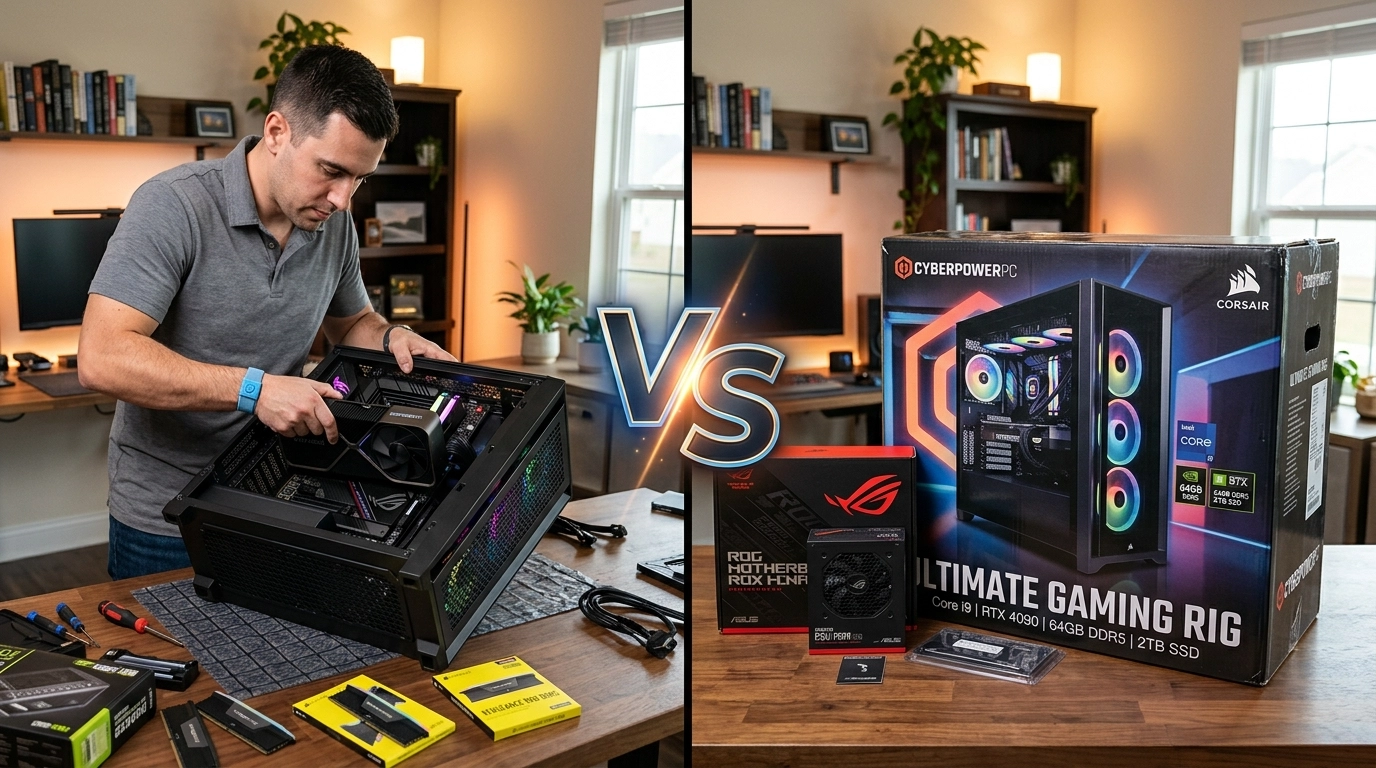

Technology rarely stands still. A computer that felt fast three years ago can suddenly struggle with modern applications, heavier operating systems, and evolving workloads. Across Perth, many users reach the same crossroads each year: upgrade the current PC or invest in a completely new system.
Both choices make sense under different circumstances. The smarter decision depends less on trends and more on performance goals, hardware condition, and long term value. With custom-built computers, components, and technical support continuing to evolve locally, understanding the difference between upgrading and replacing has become more practical than ever.
We work with people facing this decision daily, and the answer is rarely one size fits all. The sections below explore what actually matters in 2026 when choosing your next step.
When an Upgrade Makes Perfect Sense
Upgrading is often misunderstood as a temporary fix. In reality, modern desktop PCs are intentionally modular, meaning targeted improvements can dramatically extend lifespan.
A well planned upgrade typically focuses on bottlenecks rather than replacing everything:
Adding RAM to improve multitasking
Installing an SSD for faster boot and load times
Upgrading the graphics card for creative or performance workloads
Replacing aging power supplies for stability
If the motherboard and processor remain relatively modern, these changes can deliver performance gains that feel comparable to a new machine at a fraction of the cost.
Many Perth households and small businesses benefit from this approach because daily computing tasks rarely require entirely new hardware architectures. Office work, browsing, study applications, and light creative software often run smoothly after selective upgrades.
That kind of issue highlights how performance problems are not always solved by replacement.
Signs a New PC Is the Better Investment
There comes a point where upgrading becomes inefficient. Older systems eventually hit architectural limits that prevent meaningful improvement.
Consider replacement when:
The CPU platform is more than 5 to 7 years old
Storage uses outdated interfaces
Multiple components need upgrading simultaneously
Power efficiency has significantly declined
Compatibility issues appear with modern software
Attempting to modernise an outdated system can sometimes cost nearly as much as buying a new build while delivering weaker results.
New custom systems also provide advantages beyond raw speed:
• improved thermal design • quieter operation • energy efficiency aligned with modern standards • warranty coverage across the full system rather than individual parts
Locally assembled systems have become especially appealing because they allow users to avoid paying for unnecessary features while still receiving balanced performance.
Cost Comparison in 2026: The Real Numbers Behind the Decision
The financial comparison between upgrading and buying new has shifted slightly in recent years.
Component pricing has stabilised compared to earlier supply shortages, making mid range upgrades more accessible. However, newer software demands mean partial upgrades sometimes trigger additional costs later.
A practical way to evaluate cost is the three-year value rule:
If upgrades extend usability by three years or more, upgrading is usually worthwhile.
If performance gains only delay replacement briefly, a new system becomes more economical.
Custom-built computers available locally range from entry-level productivity machines to high-performance configurations designed for creators and enthusiasts. Because these builds are assembled with compatible components from the start, they often avoid the mismatch issues that piecemeal upgrades can introduce.
This distinction matters because replacing the wrong component wastes budget.
Performance Expectations: Everyday Use vs High Demand Tasks
Not all computing needs evolve equally.
A student writing assignments and attending video meetings has very different requirements compared to someone editing 4K video or running simulation software.
Upgrading works best when usage remains consistent. Buying new becomes logical when usage changes dramatically.
Upgrade-friendly scenarios
Office productivity
Study and research
Media streaming
Light design work
New PC scenarios
Advanced content creation
AI-assisted workflows
Modern gaming demands
Multi-display professional setups
Interestingly, many performance complaints come from storage speed rather than processing power. Moving from traditional drives to modern SSD storage still delivers one of the most noticeable improvements users can experience.
Understanding this prevents unnecessary replacements.
Sustainability and Longevity Considerations
Environmental awareness increasingly influences technology decisions in Australia. Extending hardware lifespan through upgrades reduces electronic waste and lowers manufacturing demand.
Upgrading responsibly supports sustainability when:
Core components remain functional
Power efficiency stays reasonable
Replacement parts are compatible long term
However, newer systems can also reduce energy consumption significantly. Modern processors often deliver higher performance while using less power, which benefits users running computers daily.
The sustainable choice therefore depends on efficiency, not simply age. A balanced evaluation considers energy usage, repairability, and expected lifespan after the decision.
The Local Advantage: Customisation Over Mass Production
One major difference for Perth residents compared to online-only buyers is access to local expertise and custom builds. Instead of purchasing sealed systems designed for global averages, users can choose configurations tailored to real needs.
Custom-built computers available through local providers allow flexibility such as:
selecting upgrade-ready motherboards
balancing CPU and GPU performance
planning future expansions
ensuring component compatibility from day one
This approach reduces long term costs because upgrades become simpler later.
With more than five years serving the community and offering premium computers, accessories, and technical support from Rockingham, the focus remains on practical solutions rather than unnecessary upgrades or overspending.
Choosing the Path That Fits Your Future
The upgrade versus replacement decision is less about technology trends and more about timing. A thoughtful upgrade can breathe new life into a capable machine, while a new build can remove limitations that no component swap can solve.
In 2026, Perth users benefit from greater flexibility than ever before. Custom systems, quality components, and knowledgeable technical support make both paths viable when chosen carefully.
We always encourage evaluating how a computer is actually used before deciding. Sometimes a single upgrade restores years of performance. Other times, starting fresh creates a smoother and more reliable experience from day one. Either way, the goal remains the same: technology that works naturally with your workflow rather than against it.